Home/Whiteboard scanner
Whiteboard scannerFrom whiteboard to history in 10 seconds
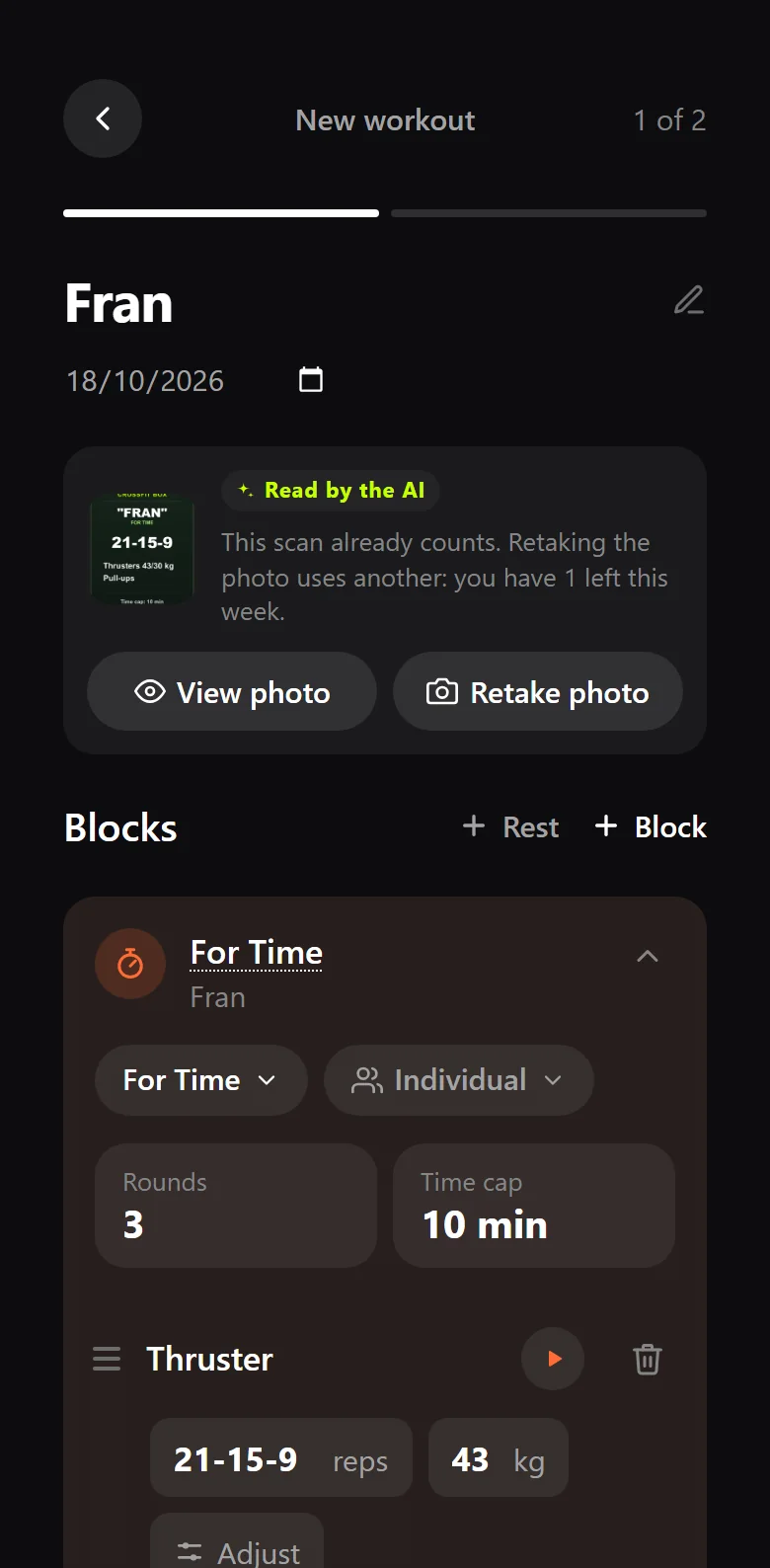
One photo and go train. The AI reads the box whiteboard — handwriting included —, structures it into format, movements and loads, and saves it to your history.
How it works
- Frame it. The camera checks sharpness and light in real time and tells you when the shot is good.
- The AI reads it. It interprets the whiteboard and structures it in one tap: format (AMRAP, For Time, EMOM…), movements, reps and weights.
- Save and grow. Add your score, RX or Scaled, and save. If you beat a record, WodLog spots it on its own.
What it can read
It is built for real whiteboards: handwriting, usual abbreviations (C2B, T2B, OHS…) and even glare. It recognises movements from a closed vocabulary of 400+ exercises and understands nine workout formats.
What it does not do: make things up
Anything it cannot read with confidence is marked [?] and you review it in two taps in the editor, with the original photo always in view. You confirm your history.
What happens to your photo
To turn it into text, the image is sent to an artificial intelligence provider: today Google (Gemini) and, if that fails, Anthropic (Claude). The app asks your permission before the first send. We keep a copy of the image and the text for 90 days in private storage, only to fix scanner failures; after that it is deleted automatically. If you prefer a photo not to go through that, log that workout by hand. Full detail in the privacy policy.
How many scans you get
On the free plan, 1 whiteboard scan per week. With Pro, no limit within fair use. If there is no whiteboard, you can also ask the AI Coach for the workout.
Frequently asked questions
Does it work with bad handwriting?
It reads handwriting and usual abbreviations. If something is unclear it marks it [?] instead of guessing, and you fix it in two taps.
What happens to the whiteboard photo?
It is sent to an AI provider to be read (Google and, if that fails, Anthropic) and we keep a private copy for 90 days to fix failures. You can skip the scanner and log by hand.
Does it need a connection?
Yes: reading happens in the cloud, so scanning needs a connection.
When can I try it?
Right now: WodLog is on Google Play and the App Store, free to start.
Keep reading
- Cross Training appThe whiteboard gets erased every day. WodLog turns a photo into a structured workout and saves it to your history, with your…
- AI CoachTell it what equipment you have and what you want to work on. The AI Coach gives you a workout in the format you choose —…
- WODWOD stands for Workout Of the Day.